A comprehensive platform built for growth, accountability, and seamless professional connections.
Core Member Features
Feature 01
Fusion Nest – Smart Business Networking Platform
Fusion Nest is a powerful BNI-style networking platform designed to manage referrals, fusion thanks, growth sessions, and business performance within organized nests (groups).
Manage referrals, fusion thanks, and growth sessions in one platform
Track personal and nest-level business performance with advanced analytics
Generate weekly performance reports and monitor member activities
Discover and connect with members across different nests seamlessly
/ dashboard
Feature 02
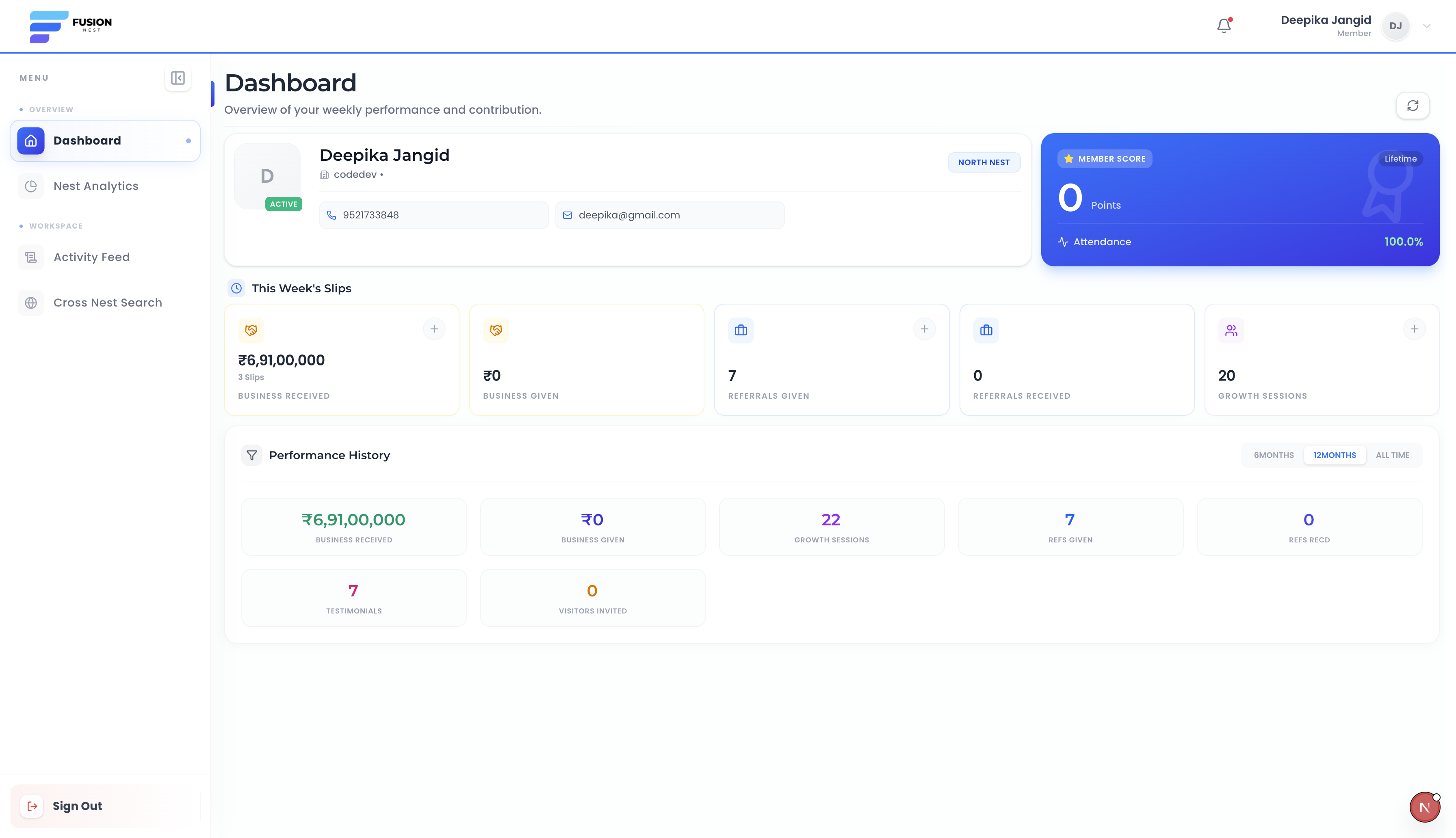
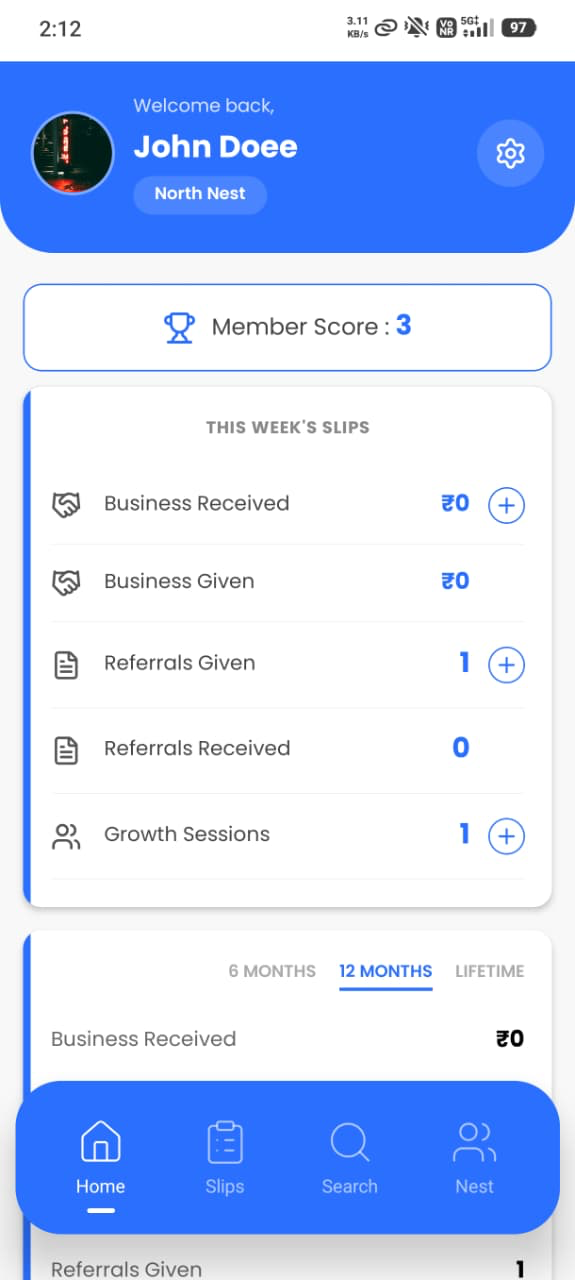
Personal Performance Dashboard
Members can monitor their complete business networking performance from a single dashboard, including referrals, growth sessions, and business given or received.
Track business given and received with real-time performance stats
Monitor referrals, growth sessions, testimonials, and visitors invited
View performance insights across 6 months, 12 months, and lifetime
Get a clear overview of personal networking impact and growth
App Interface – Performance
Feature 03
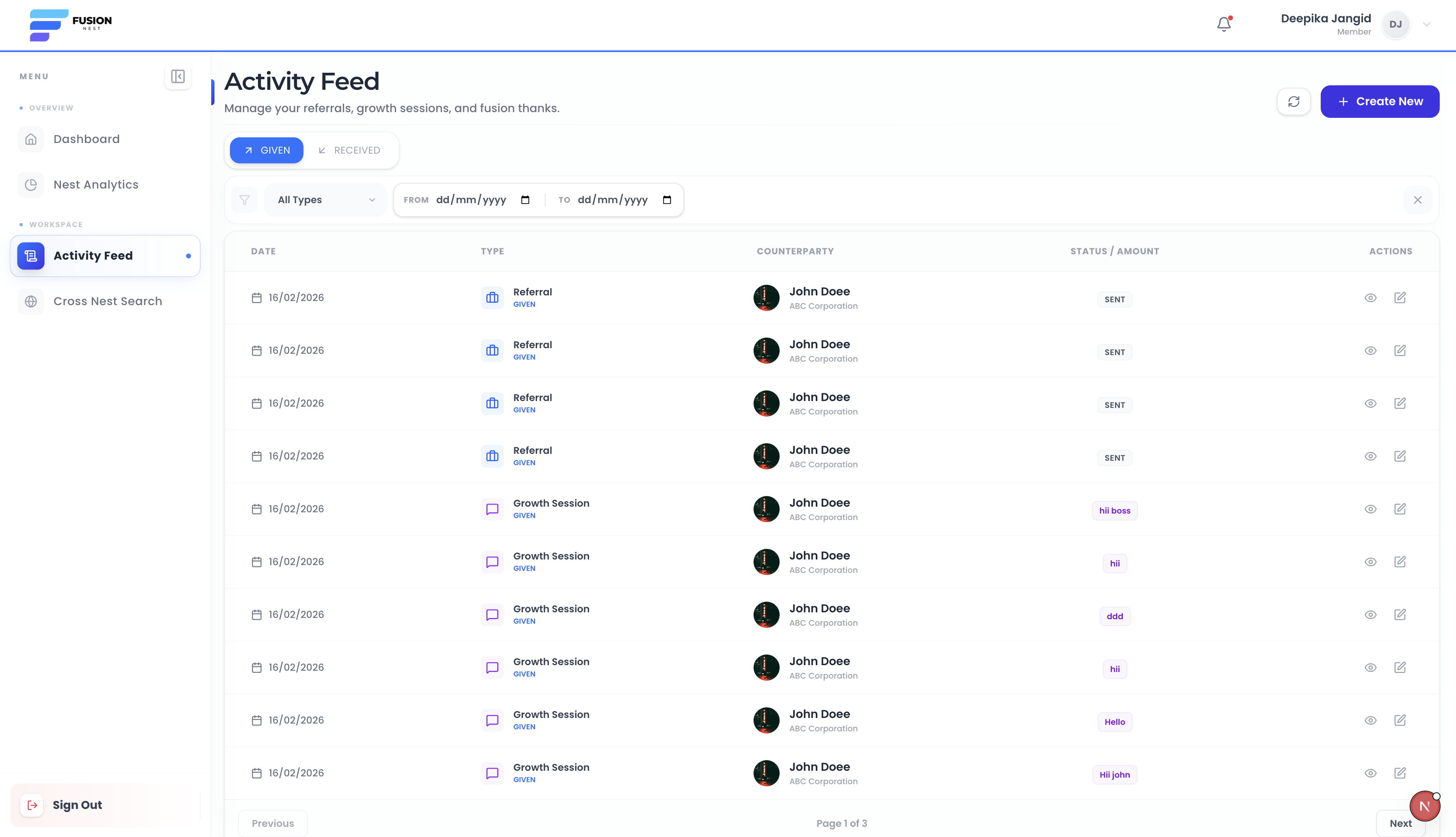
Centralized Activity Feed
The activity feed displays all networking activities such as referrals, fusion thanks, and growth sessions in a transparent activity timeline.
View all given and received activities in a unified chronological feed
Filter activities by type such as referrals, thanks, and growth sessions
Apply date-wise filters to quickly locate specific interactions
Edit and manage activity entries to keep records accurate
/ activity
Feature 04
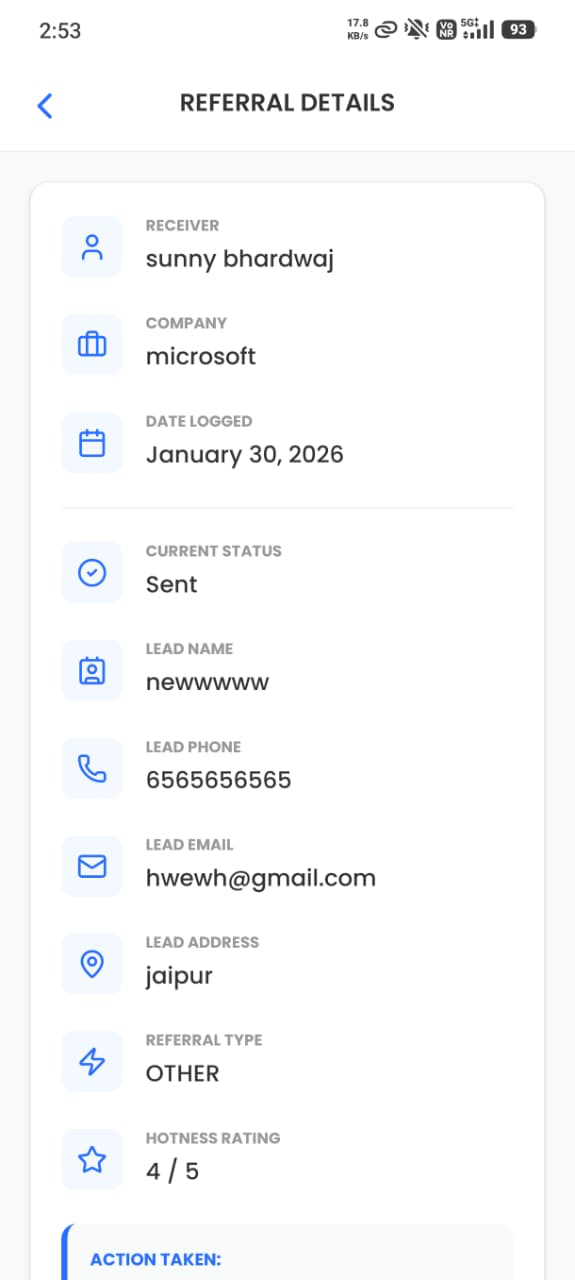
Comprehensive Activity Details
Each activity has a dedicated detail page where users can view complete information such as sender, receiver, date, and additional notes.
View full details of referrals, fusion thanks, and growth sessions
Track sender, receiver, and timeline of each interaction
Access complete notes and contextual business information
Maintain clear, transparent, and structured activity records
App Interface – Detail View
Feature 05
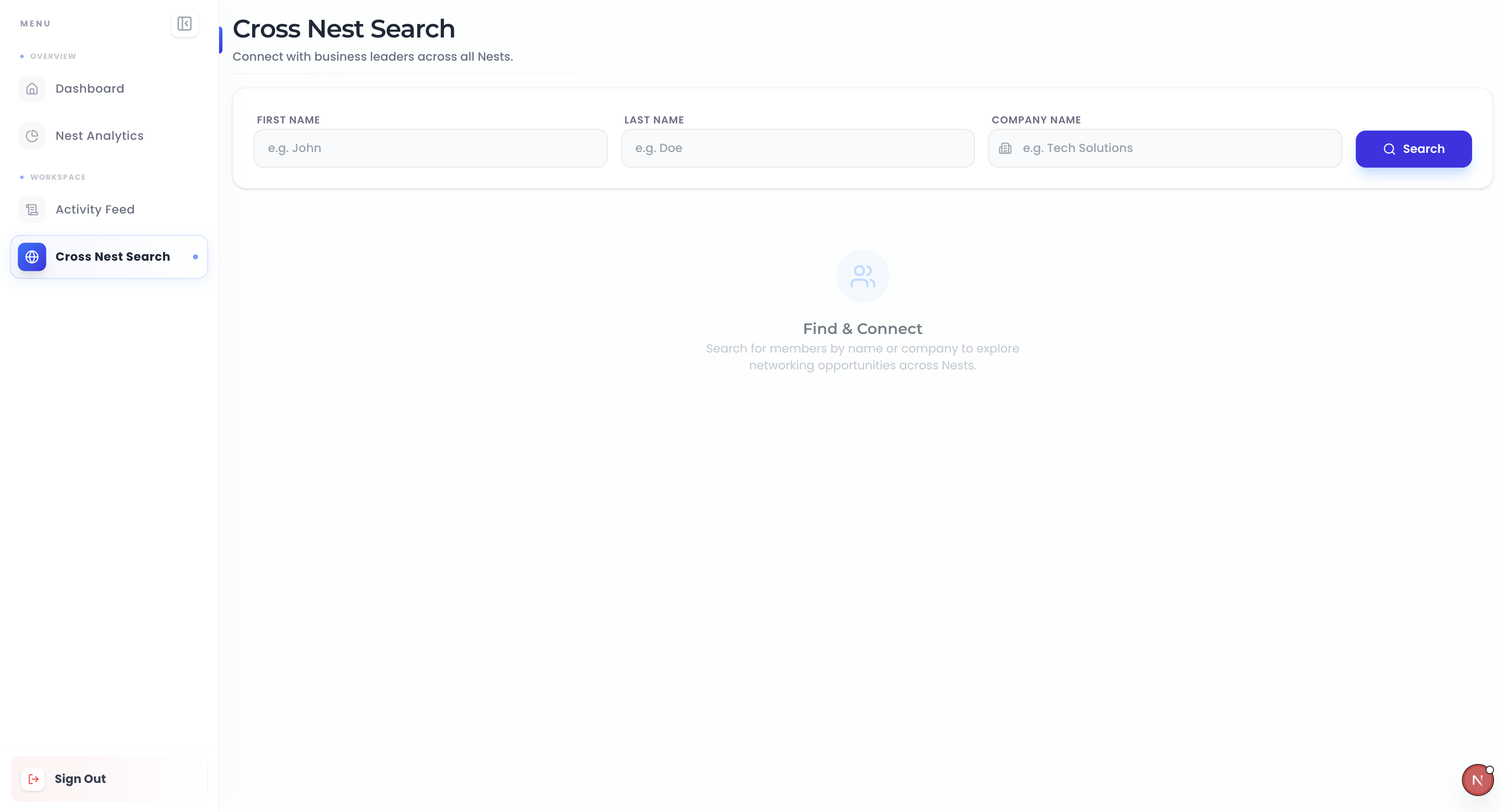
Cross Nest Member Search
Members and presidents can search any user across all nests using filters like name or company name to enhance networking.
Search members across all nests from a single search interface
Use filters like first name, last name, or company name
View complete professional and business profile details
Enhance collaboration and referral opportunities across nests
/ members
Feature 06
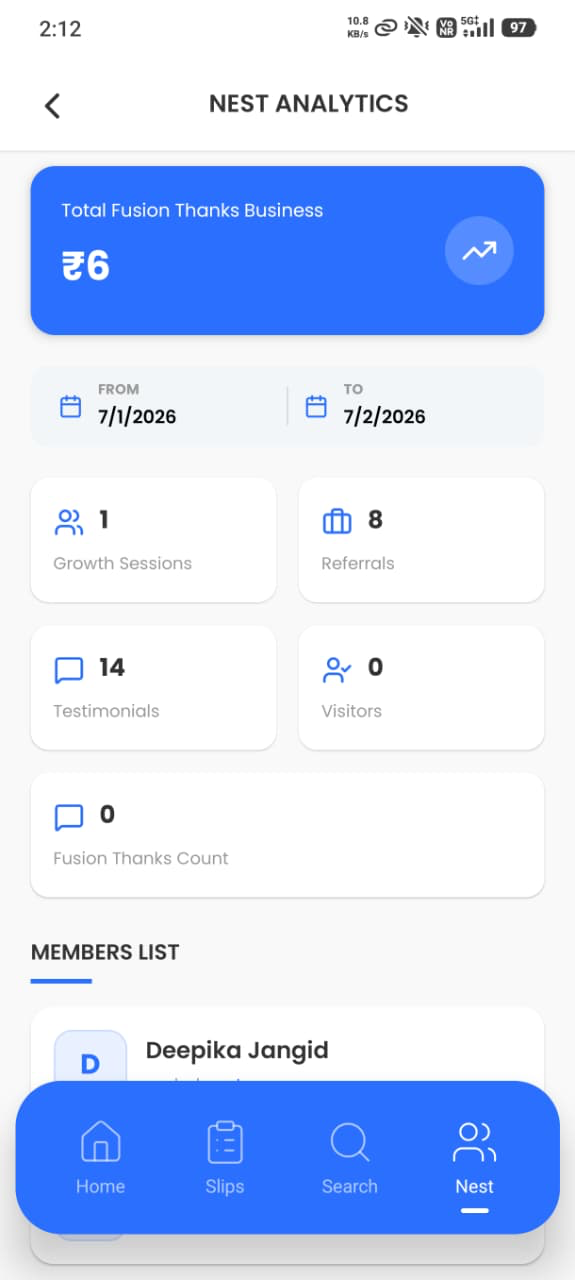
Nest Performance Analytics
Nest analytics provides performance insights for each group, including total referrals, growth sessions, and visitors with date-range filtering.
Track total referrals, growth sessions, testimonials, and fusion thanks
Analyze visitor contributions and overall group engagement metrics
Apply custom date range filters for performance comparison
Presidents get full nest-level analytics and detailed insights
App Interface – Analytics
Feature 07
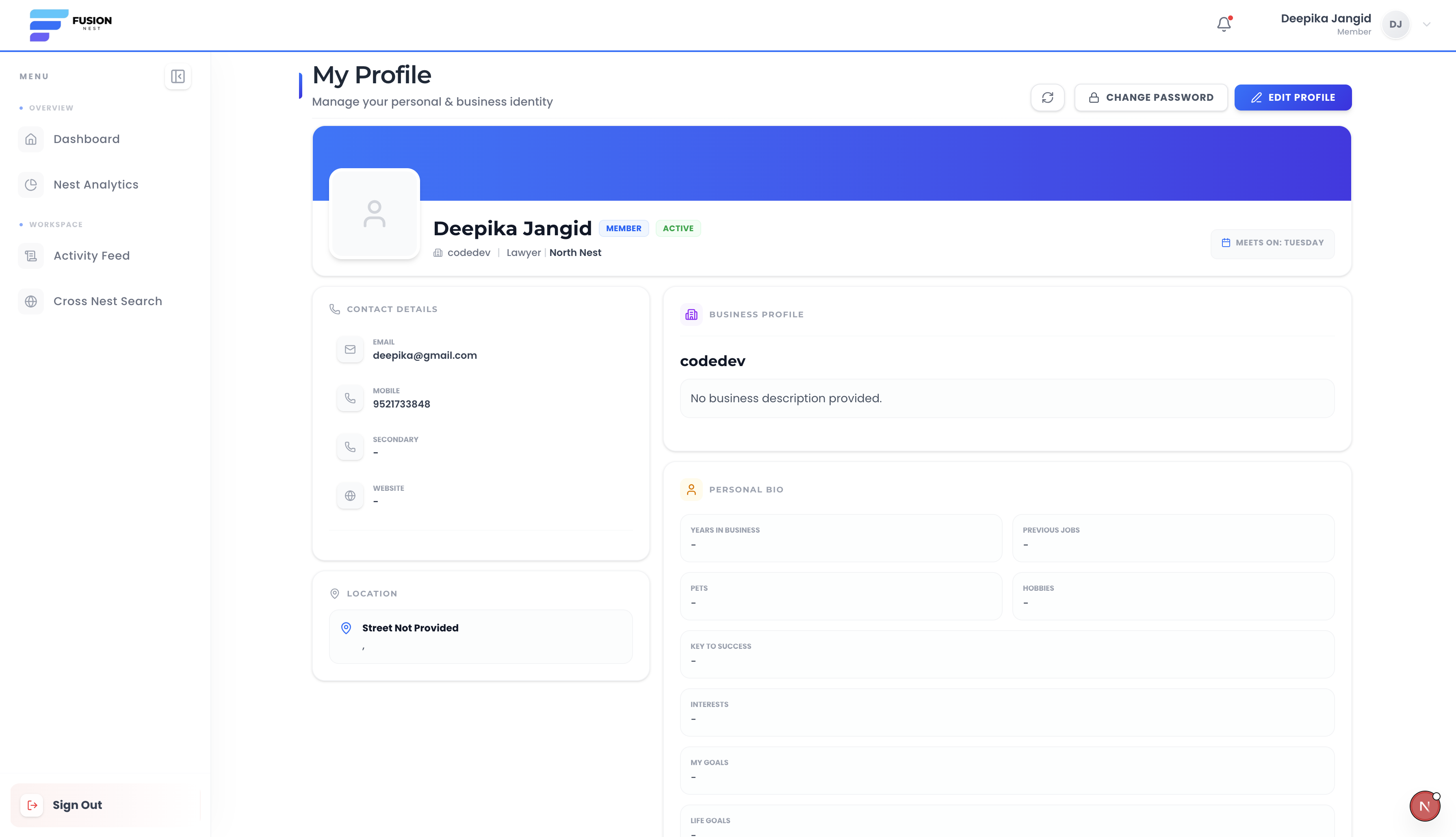
Member Profile Overview
Users can view complete professional profile details of any member including company information and contact details.
View company information, designation, and contact details
Access complete professional member profile in one place
Understand member category, role, and nest association
Connect easily with members to build stronger business relations
/ profile/:id
Feature 08
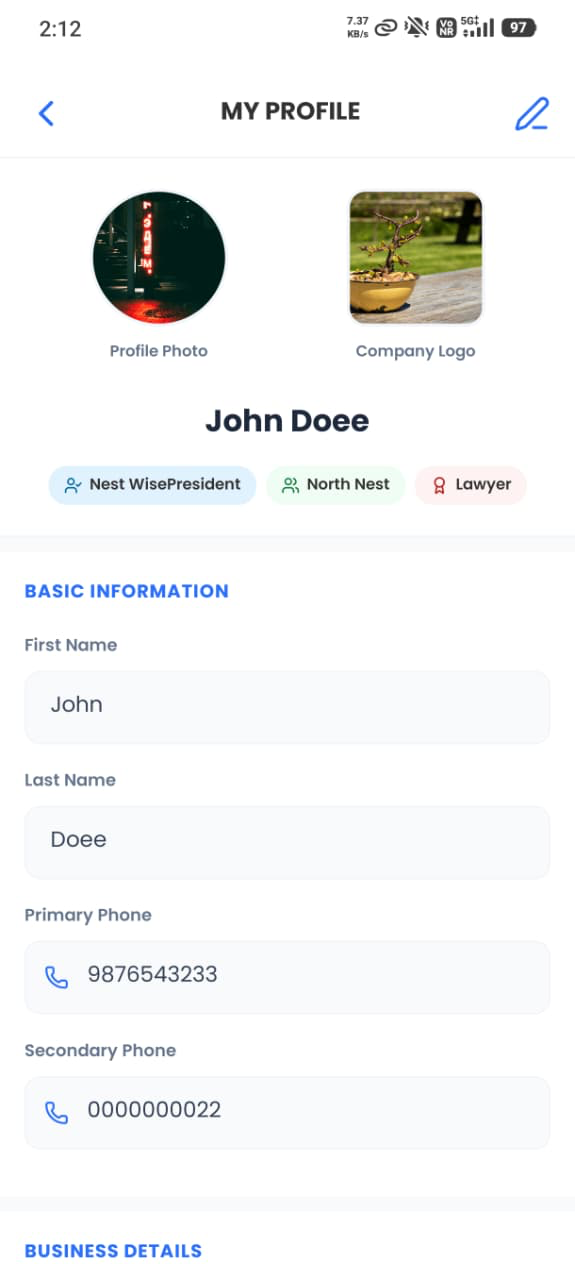
Personal Profile Management
Members and presidents can view and edit their own profile information, ensuring an accurate professional identity.
View and update personal profile and company information
Maintain accurate contact details and professional identity
Upload and manage profile photo and company logo
Easily edit information anytime to keep data up to date
App Interface – My Profile
Feature 09
Secure Role-Based Login System
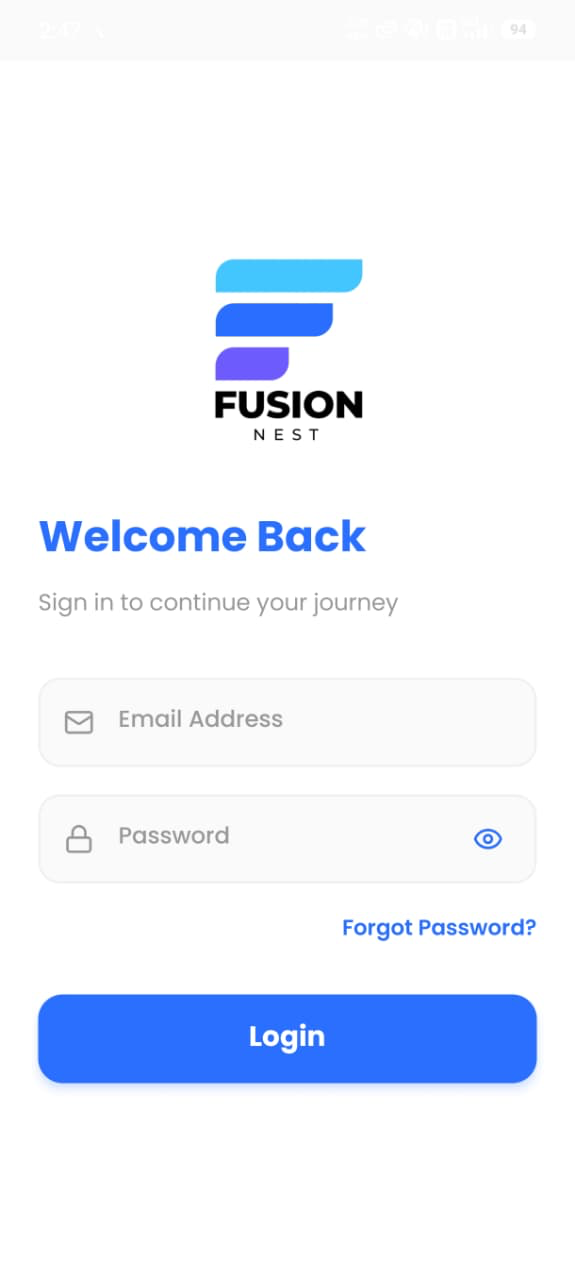
Secure login access for members and presidents with admin-created credentials and forgot password features.
Secure login access for both members and presidents
Admin-controlled account creation and role assignment
Forgot password functionality for quick account recovery
Ensures safe and role-based authentication across the platform
/ login
Feature 10
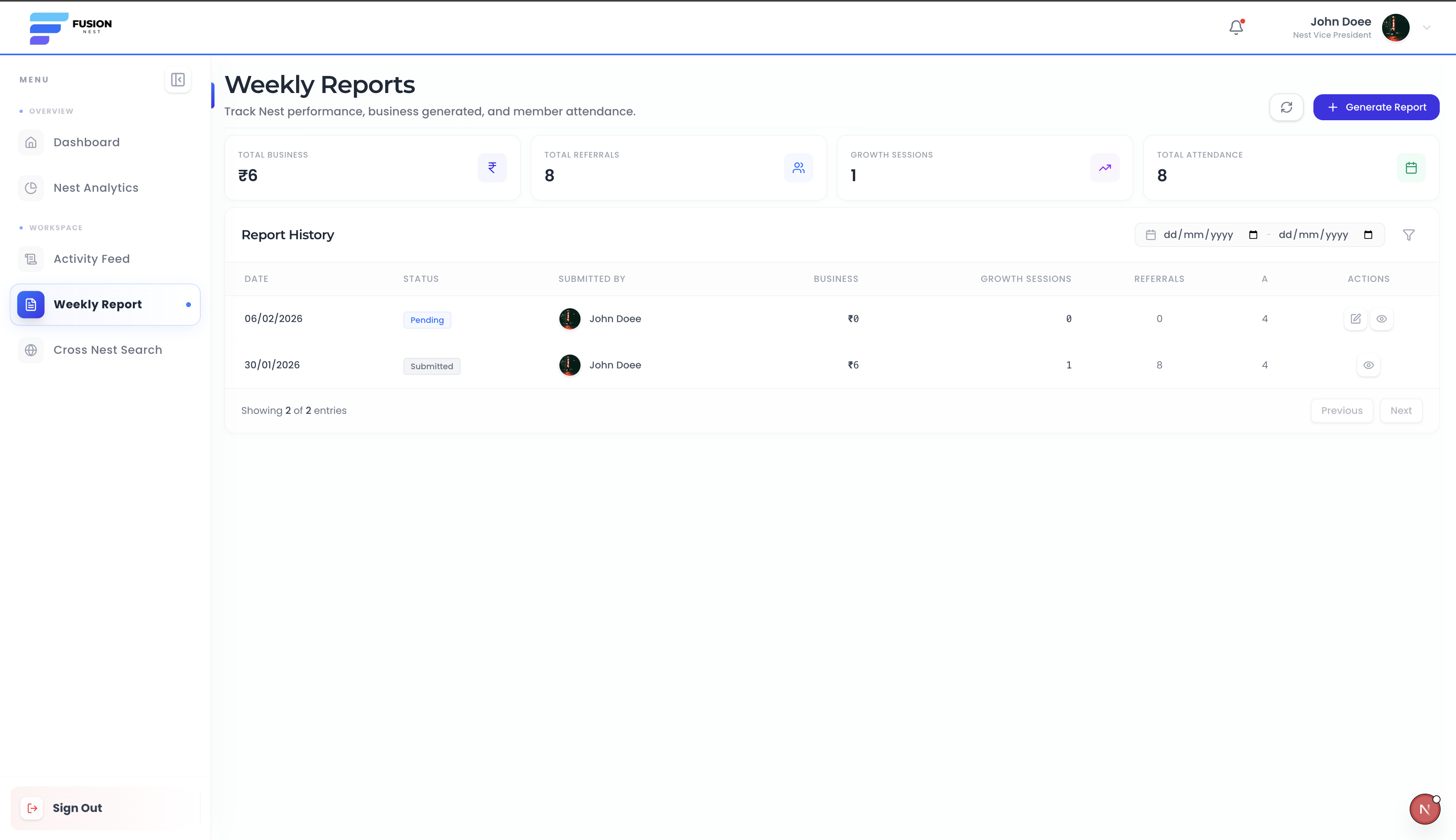
Weekly Report Generation & Tracking
Presidents can generate weekly performance reports summarizing activities and visitors before submission.
Generate weekly reports summarizing all member activities
Add visitor details and update performance data before submission
Filter reports using custom date ranges for better analysis
Access previous weeks' reports to track performance trends
/ reports
Administrative Suite
Feature 11
Centralized Admin Control Panel
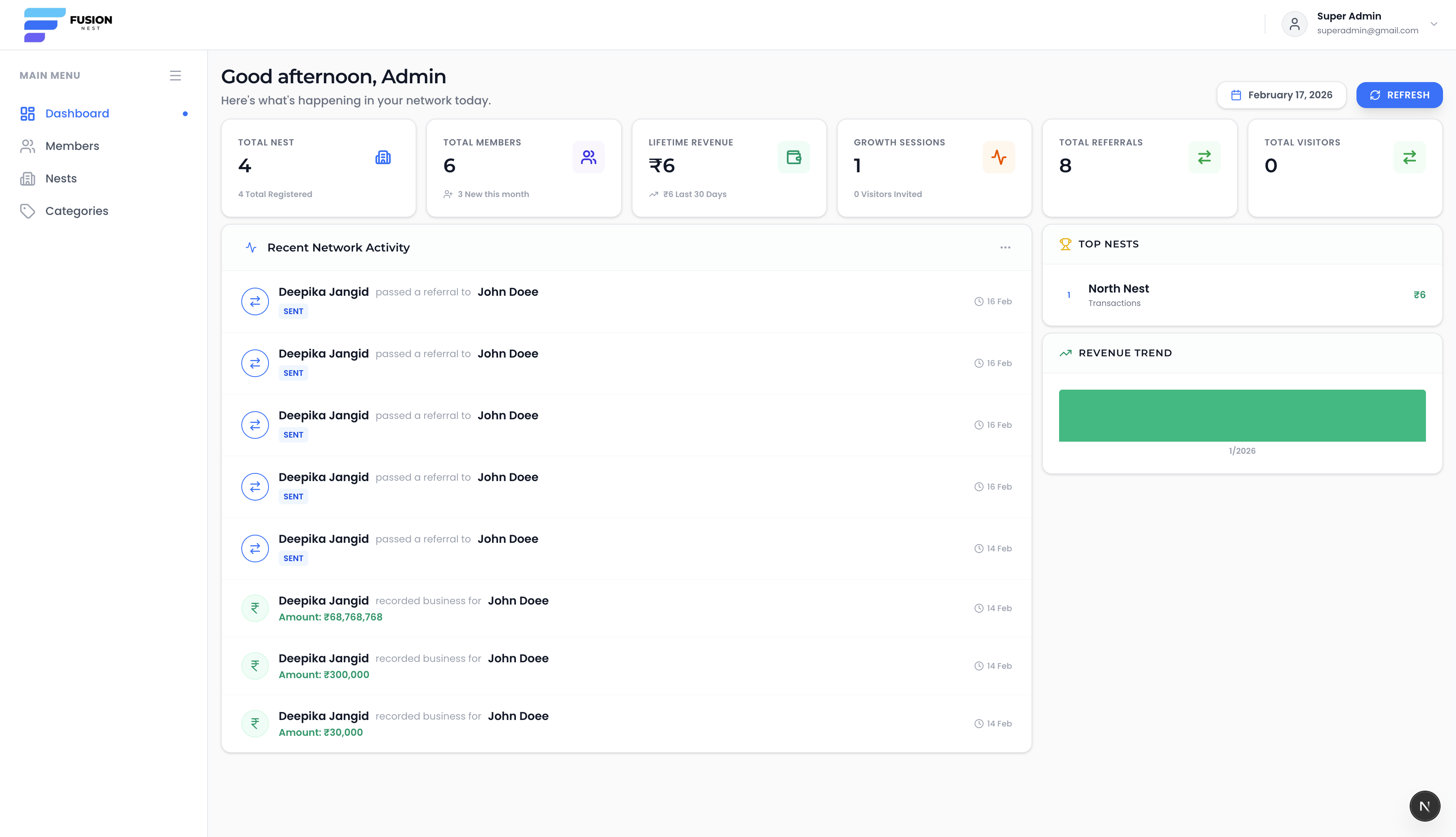
The admin dashboard provides a complete overview of all nests, users, revenue, and real-time monitoring.
View total nests, users, and overall revenue performance
Monitor referrals, growth sessions, and fusion thanks platform-wide
Track recent activities performed by members and presidents
Gain real-time insights into overall network growth and engagement
admin.fusionnest.com / dashboard
Feature 12
Member Directory & Role Management
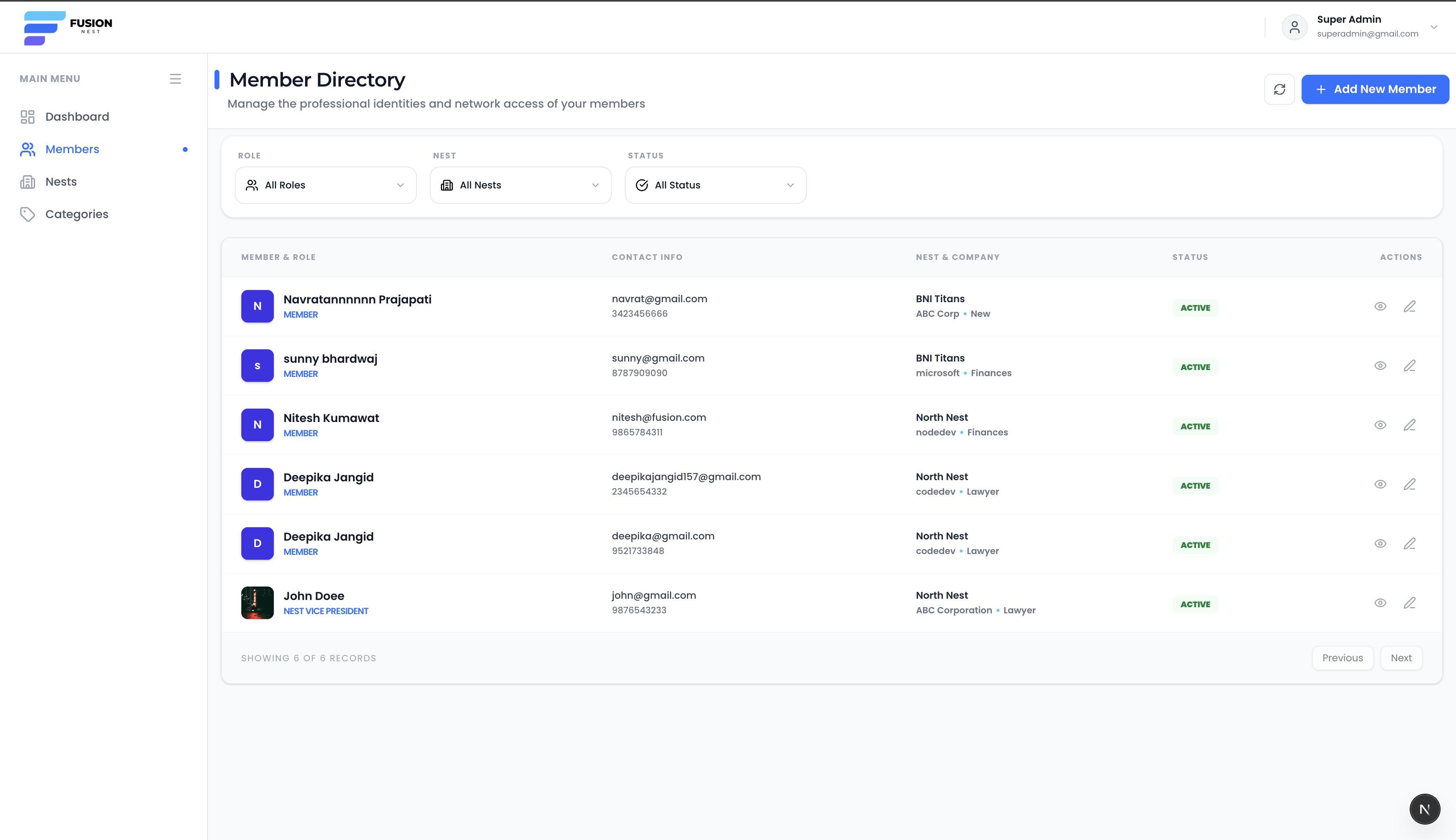
Admins can create and manage members, assign them to nests, and define roles like member or president.
Create and assign members to nests with company details
Define and manage roles such as Member or President
Ensure only one president is assigned per nest group
View, update, and manage complete member directory records
admin.fusionnest.com / members
Feature 13
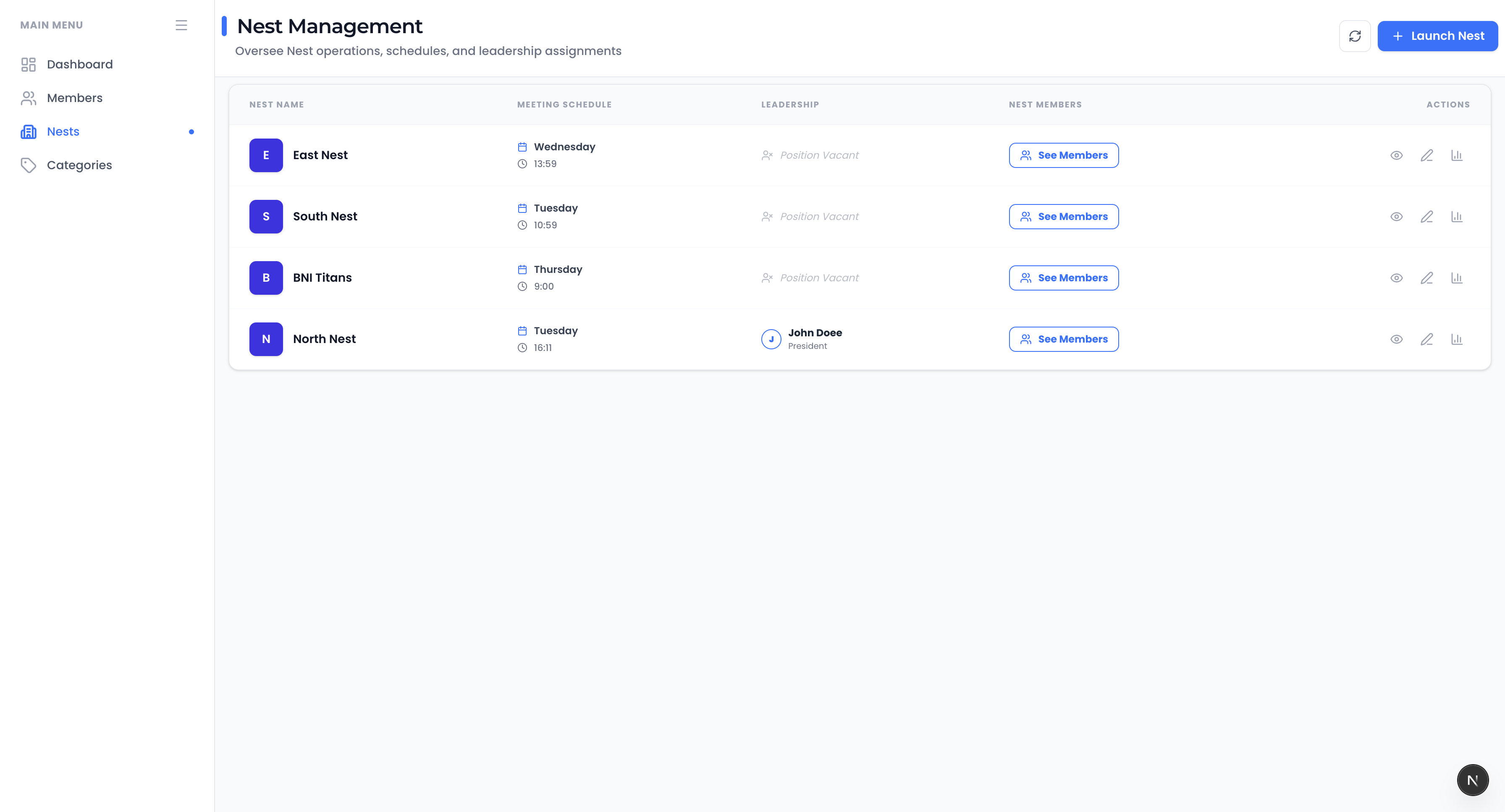
Nest (Group) Management
Admins can create nests, assign members, set schedules, and view performance reports from one interface.
Create and configure multiple nests (business groups)
Assign members and designate presidents for each nest
Monitor nest performance reports and activity metrics
Edit nest details and manage meeting schedules easily
admin.fusionnest.com / nests
Feature 14
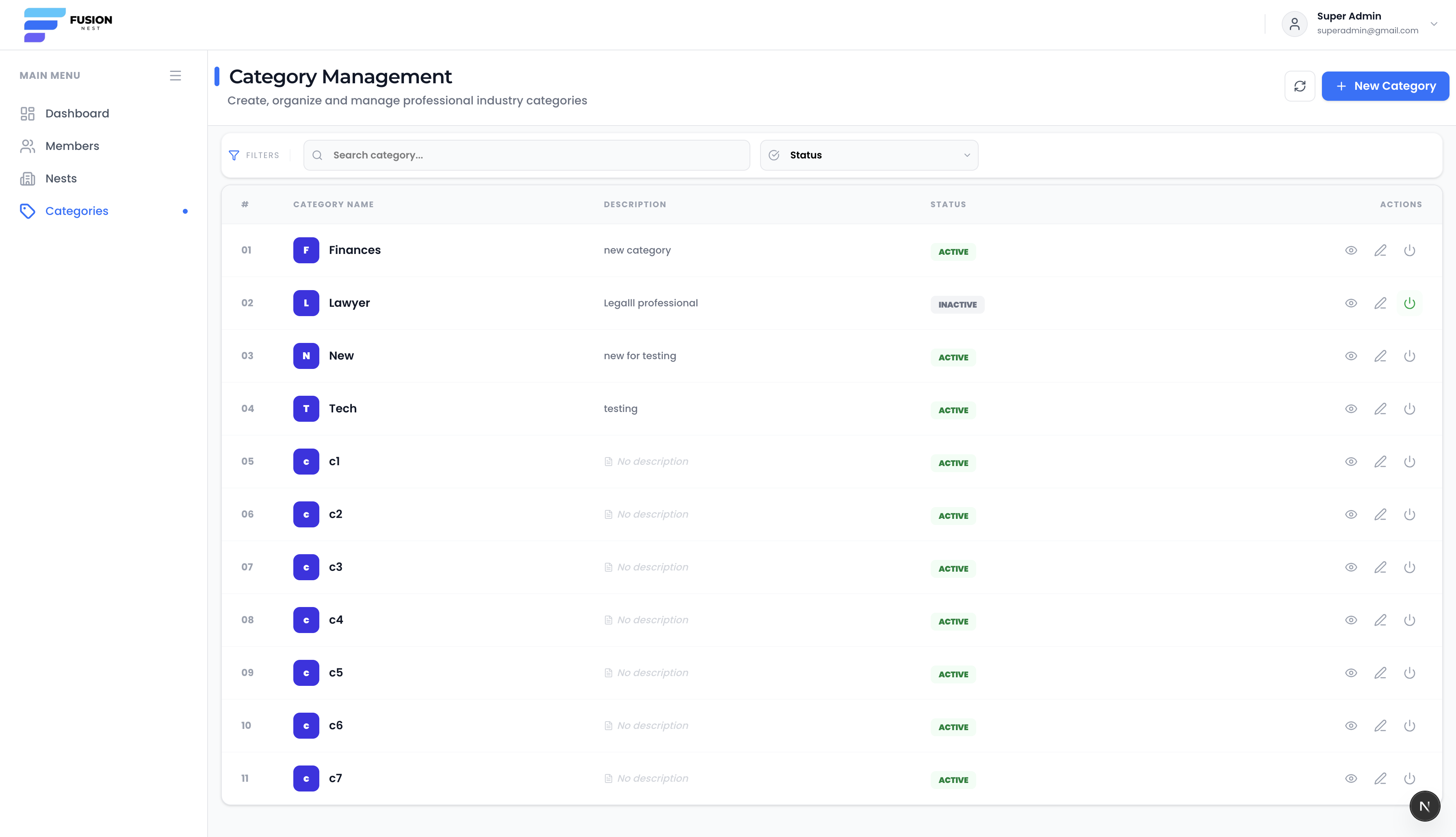
Professional Category Management
Admins can manage professional categories like Lawyer or Doctor and control their active/inactive status.
Create categories based on profession or industry type
Activate or deactivate categories as per requirement
Assign categories to members for clear professional classification
Edit and manage category details for organized networking structure